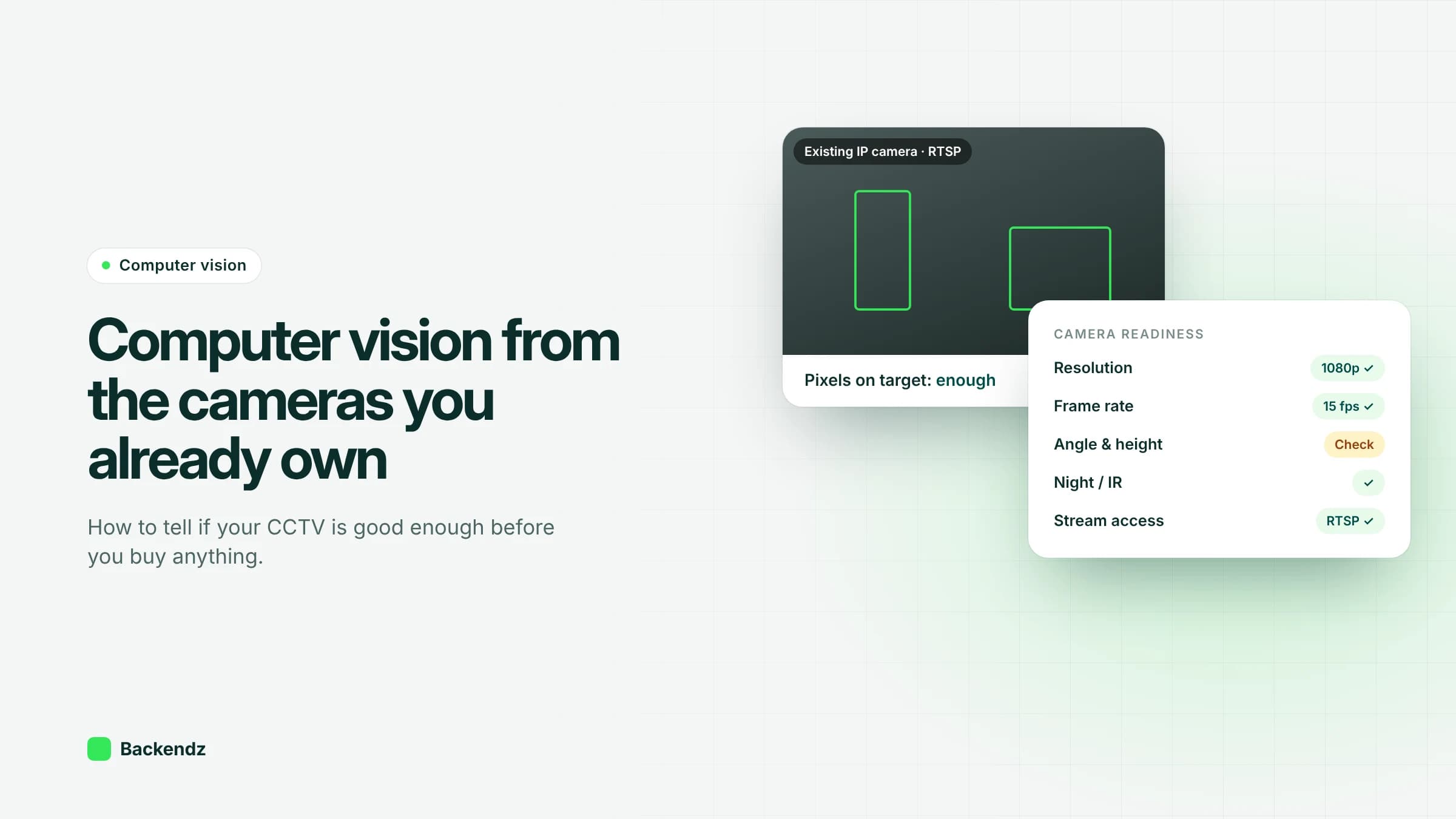
Computer vision with existing CCTV cameras is often possible. If a camera has a steady view, the objects you care about cover enough pixels, the scene is visible at night and you can pull the stream over RTSP or ONVIF, a model can usually run on it. New cameras are mainly needed for bad angles, poor light or tiny details.
Most sites already have dozens of cameras installed for security. They were positioned to deter and to record evidence, not to feed an AI model, so some will be fine and some will not. This guide walks through what to check, how to test it with your own footage, when a replacement is justified, and how a retrofit computer vision project runs from audit to alerts.
Can you use existing cameras for AI?
On most sites, at least some of the existing cameras can be used for some analytics. The question is always "good enough for which task?". The same camera might count vehicles through a gate perfectly well and be useless for checking whether a driver is wearing a hi-vis vest.
Security cameras tend to be mounted high with wide lenses to cover as much ground as possible. That suits counting, occupancy and zone intrusion. It suits tasks that need fine detail far less, such as reading labels, spotting small defects or checking PPE at the far side of a yard. So start with the task, then judge the camera against it.
What makes a camera good enough for computer vision?
These are the camera requirements for computer vision that decide whether a retrofit works.
Resolution and pixels on target
Resolution on the spec sheet matters less than how many pixels land on the thing you want to detect. A rough calculation helps. A 1920-pixel-wide image covering a scene 20 metres across gives about 96 pixels per metre. A person about half a metre wide then covers roughly 48 pixels. Move the same camera to cover 60 metres and that person shrinks to about 16 pixels.
Small objects are a known weakness of detection models. A 2025 survey of small object detection notes that the widely used COCO benchmark treats anything under 32×32 pixels as small, and explains why such objects are hard: little detail, weak features and frequent occlusion. The CCTV industry has its own pixel-density levels for observing, recognising and identifying people in the EN 62676-4 standard, which is a useful sense check when talking to your installer.
One trap is the substream. Many recorders give analytics a low-resolution secondary stream to save processing. Check which stream you are actually getting.
Frame rate and shutter speed
Slow scenes such as occupancy, queues or parked vehicles work at a few frames per second. Moving vehicles, forklifts or conveyors need more, and they also need a fast enough shutter to avoid motion blur. Blur that looks acceptable to a person reviewing footage can be enough to stop a model recognising an object.
Lens and field of view
Very wide and fisheye lenses cover a lot of ground but distort shapes near the edges and shrink distant objects. Varifocal cameras can often be re-zoomed for a tighter view of the area that matters, which is a free improvement worth trying before buying anything.
Mounting height and angle
A steep, high view looking down reduces occlusion, so it is good for counting people through a doorway. It is poor for PPE checks, where the model needs to see heads and torsos from the side. Cameras facing bright doorways or windows struggle with backlighting, leaving people as silhouettes.
Lighting and infrared at night
At night, most cameras switch to infrared and produce a black-and-white image. A model trained only on daytime colour footage will often perform worse at night, so night footage has to be in the training set. Reflective hi-vis can flare under infrared, and spider webs near an IR lamp cause a steady stream of false alarms.
Compression and bitrate
Cameras compress video, usually with H.264 or H.265. Low bitrates and aggressive "smart" codec settings smear fine detail and create blocky patches in busy or moving scenes. Raising the bitrate on the cameras that matter is often the cheapest accuracy gain available.
RTSP and ONVIF access
To run your own model you need the live stream. Most IP cameras offer RTSP, and many support ONVIF. According to ONVIF's own overview of its profiles, Profile S covers basic video streaming, Profile T adds H.264/H.265 and advanced streaming, and Profile M standardises metadata and events for analytics. Some systems lock cameras to a single recorder brand. In that case the recorder can often re-stream them over RTSP.
Recorder integration and network bandwidth
Pulling streams adds network load. If each stream runs at, say, 4 Mbps, sixteen cameras need about 64 Mbps of sustained capacity to an analytics box. Putting that box on the same local network as the recorder avoids sending video across sites or to the internet. Cameras should sit on their own segregated network and never be exposed directly to the internet.
When do you need a new camera?
Replace or add a camera only when the problem cannot be fixed with settings, re-aiming or re-zooming. The usual reasons are:
- The target is too small in the frame and the lens cannot zoom in further.
- The angle is wrong for the task, such as a top-down view where you need to see PPE.
- There is no usable image at night and extra lighting is not practical.
- The camera is old analogue with no encoder, or its stream cannot be accessed at all.
- Severe backlighting that wide dynamic range settings cannot correct.
Often only a handful of cameras need attention. Adding one dedicated, well-placed camera for a specific task is usually cheaper than upgrading a whole system.
Camera readiness checklist
Use this for each camera you want to include. Test with real footage, not the spec sheet.
| Check | What good looks like | How to test | If it fails |
|---|---|---|---|
| Pixels on target | Objects of interest well above 32 pixels across at the furthest point | Measure in a still frame from the stream the model will use | Zoom, re-aim, or add a camera closer to the area |
| Stream used | Main stream or a substream with enough resolution | Check recorder and camera stream settings | Switch stream or change substream resolution |
| Frame rate and blur | Moving objects sharp in paused frames | Pause footage of the fastest object | Raise frame rate, shorten shutter, add light |
| Angle | Clear view of the feature the task needs | Review sample clips against the task | Re-aim or add a camera |
| Night image | Objects visible and distinct under IR or site lighting | Pull night clips across a full week | Add lighting, clean the housing, remove webs |
| Compression | No blocky patches in busy scenes | Inspect frames during peak activity | Raise bitrate, turn off aggressive smart codecs |
| Stream access | RTSP or ONVIF stream reachable from the analytics box | Connect from a test machine on the same network | Re-stream through the recorder or replace the camera |
| Network | Enough sustained bandwidth for all analysed streams | Add up per-stream bitrates against link capacity | Process at the edge, near the recorder |
How does a retrofit computer vision project run?
A retrofit follows the same six stages each time, and each stage can stop the project early if the cameras or the data are not good enough.
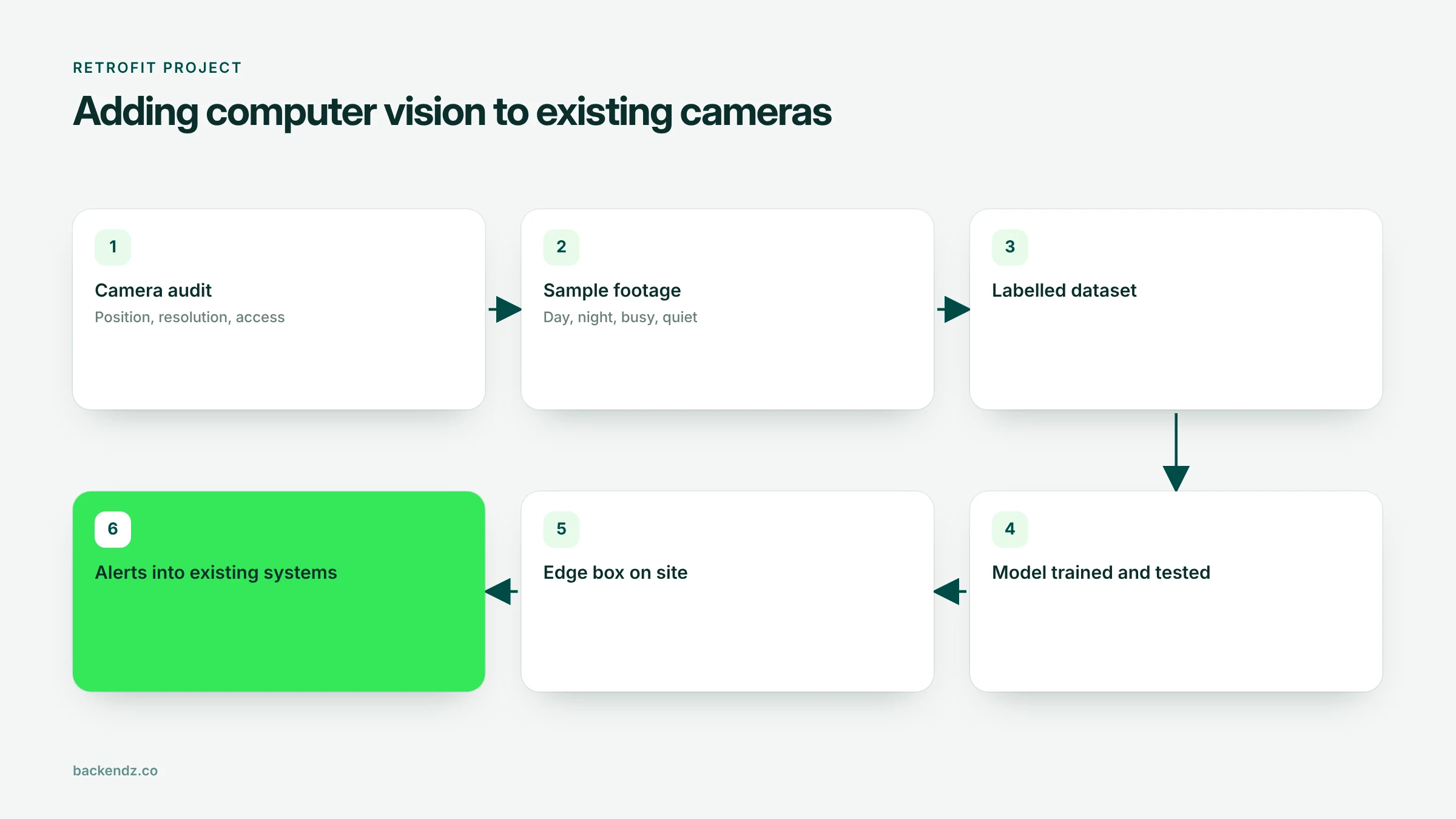
- Camera audit. Walk the site with the task list and the checklist above. Note which cameras are usable as they are, which need adjusting and which need replacing.
- Sample footage. Collect recordings covering day and night, busy and quiet periods, and the weather your site sees. Rare events need extra effort to capture.
- Labelled dataset. Mark up frames from your own cameras with the objects or events the model should find. Footage from your site matters more than generic datasets, because your angles and lighting are specific.
- Model. Train or adapt a detector, often a YOLO-style model, and test it on footage it has never seen, including night clips. Measure missed events and false alarms against what really happened.
- Edge box. Deploy the model on a small computer on site that reads the camera streams and sends only events onward. Our AI edge infrastructure work covers sizing, deploying and remotely managing this hardware.
- Alerts into existing systems. Send events to the places people already work: a dashboard, email, a messaging channel, your ERP or your health and safety system. Integrating with the systems you already use is what turns detections into action.
If you want to test feasibility before committing, an AI proof of concept on recorded footage can answer the accuracy question in a few weeks without any new hardware.
What about privacy and the law?
Adding analytics to cameras changes what the system does with personal data, even if the cameras themselves have been there for years. In most cases you will need a DPIA before you start, plus clear signage and a defined retention period. Our guide to AI video analytics for CCTV and UK GDPR covers what the ICO expects and which use cases carry the most risk.
Frequently asked questions
What resolution do you need for computer vision on CCTV?
What matters is how many pixels land on the object, not the camera's headline resolution. As a starting point, objects should be comfortably above 32 pixels across, the size the COCO benchmark treats as small. A 1080p camera covering a narrow area can outperform a 4K camera covering a whole yard.
Can AI work with analogue CCTV cameras?
Sometimes. Analogue cameras connected to a recorder that can re-stream video over the network can be used, though image quality is often lower. Older analogue cameras with no encoder or network output usually need an encoder or a replacement.
Will running AI on our cameras slow down the recorder?
Not if it is set up properly. The analytics box reads the camera streams in parallel with the recorder and does its own processing, so recording is unaffected. The main thing to check is that the network has enough bandwidth for the extra streams.
Do we need to send our CCTV footage to the cloud for AI?
No. Models can run on an edge device on site, so raw footage never leaves the building and only events or short clips are sent onward. This reduces bandwidth and privacy risk, and keeps the system working if the internet connection drops.
How many of our existing cameras will need replacing?
It depends on the tasks, but often only a small share. Many problems can be fixed by re-aiming, re-zooming, raising the bitrate or improving lighting. A camera audit against the specific tasks is the only reliable way to know.
Where to start
Pick one task, pick the two or three cameras that cover it, and export a week of footage including nights. That is enough to judge whether the cameras are ready. If you would like help running that audit or building what comes after, our computer vision development team can work through it with you.