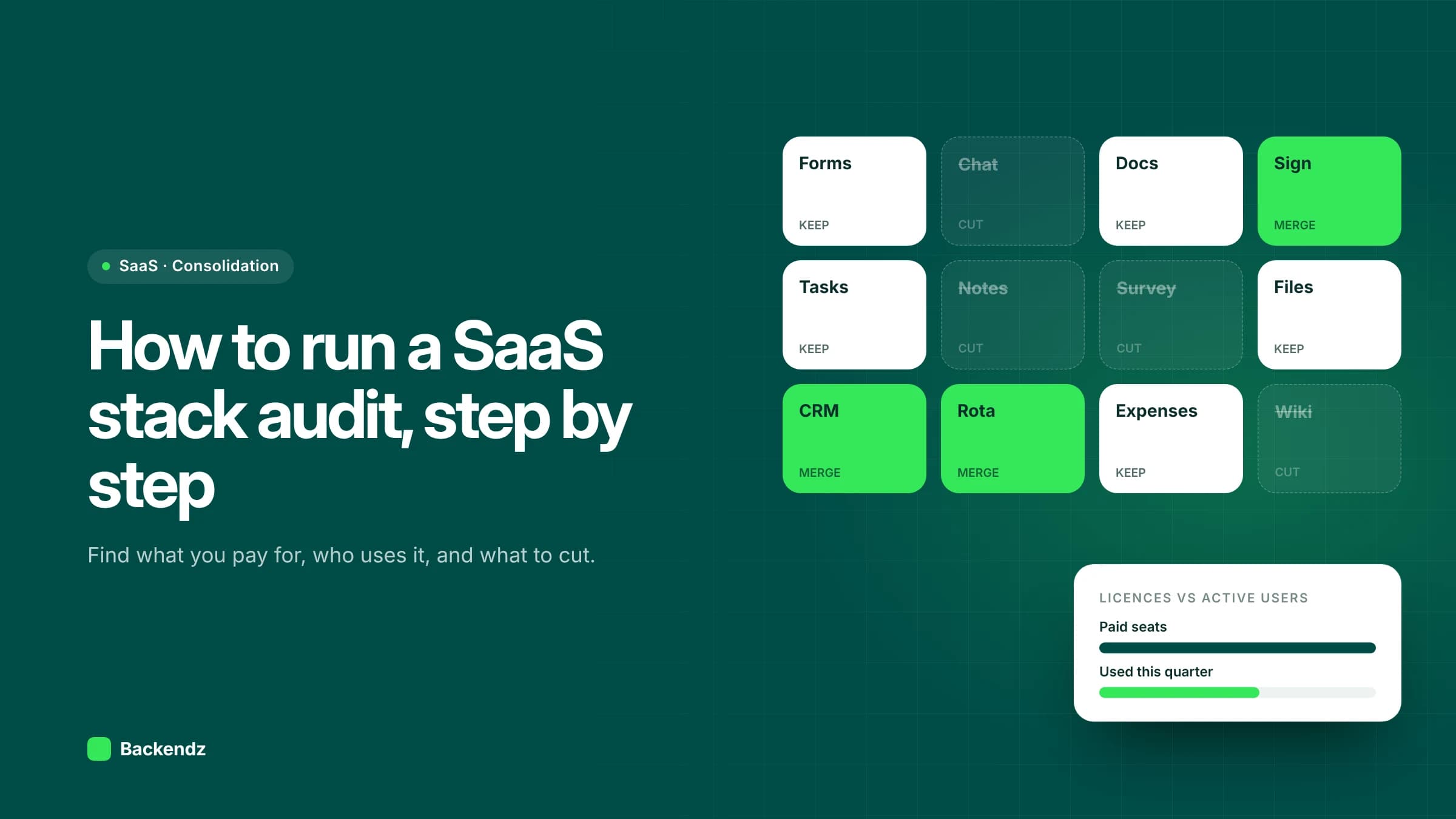
A SaaS stack audit is a structured review of every software subscription your business pays for. You list each tool from finance and login records, record who owns and uses it, compare active users with paid licences, check renewal dates and data risks, and then decide whether to keep, consolidate, replace or build. Most UK firms can do a first pass in four to six weeks.
The point is not only to reduce SaaS costs. Sprawl also means customer and staff data spread across tools nobody is responsible for, leavers who still have access, and processes that break whenever two systems disagree. A good audit fixes the money and the risk at the same time.
Why does SaaS sprawl happen in growing firms?
Subscriptions are easy to start. A team lead puts a tool on a company card, it solves a real problem, and two years later it holds the only copy of a process. Nobody did anything wrong, but nobody is tracking the whole picture either.
The numbers from the industry surveys are large. BetterCloud's 2024 State of SaaSOps survey reported that the average company used 130 SaaS applications in 2022, falling to 112 in 2023, the first drop in the survey's history. The same survey put average waste on unused licences at more than $135,000 per company. Those figures skew towards larger organisations, so treat them as a direction of travel rather than a benchmark for a 60-person firm.
In the operations-led businesses we work with, the pattern is consistent: three or four tools doing overlapping jobs, a long tail of small subscriptions on expense claims, and one or two critical systems with no named owner.
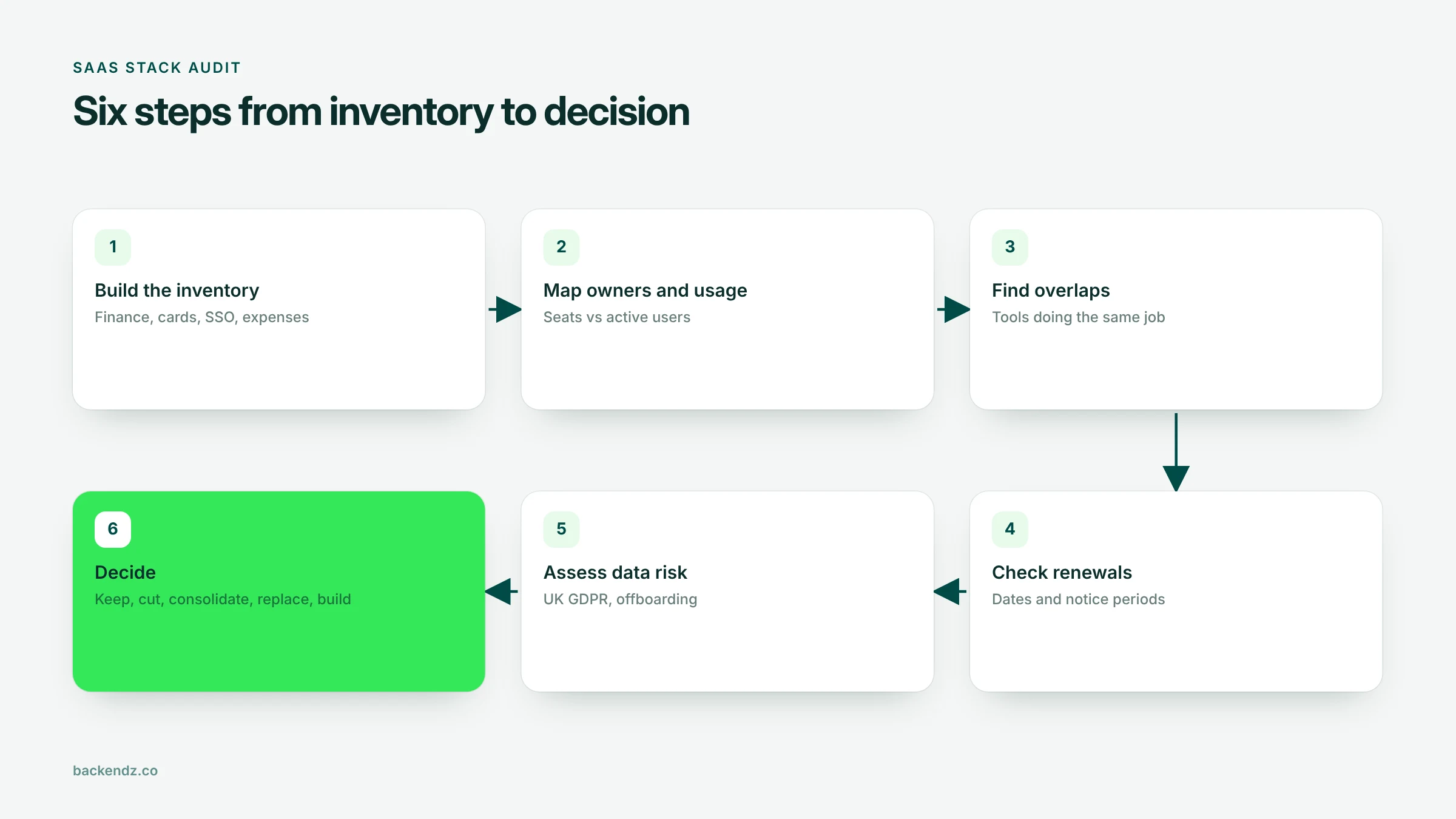
Step 1: Build the inventory from money and logins
Do not start by asking departments what they use. People forget the tools that just work, and they rarely mention free plans that hold company data. Start with evidence.
Where to look
- Accounts payable and supplier ledger. Search your accounting system for recurring payments to software suppliers over the last 18 months, so annual renewals show up.
- Company card statements. This is where most small subscriptions live. Filter for recurring monthly charges and currency conversions.
- Expense claims. Staff often claim back tools bought on personal cards. These are the riskiest, because the company may not control the account at all.
- SSO and identity logs. Your identity provider shows which applications staff sign into. It will also reveal free tools that never appear in finance data.
- Browser extensions and integrations. Check which third-party apps have been granted access to your email, file storage and calendars. Each one is a data flow.
What to record per tool
One row per tool: supplier, what it does, cost per month, billing method, contract term, renewal date, notice period, business owner, admin account holder, number of paid seats, and what data it holds. A shared spreadsheet is fine. The value is in completeness, not tooling.
Step 2: Map owners and measure real usage
Every tool needs a named business owner. Not IT by default, but the person who would notice first if it disappeared. If nobody will put their name to a tool, that is already a finding.
Then compare licences with use. Pull last-login or active-user reports from each tool's admin panel and compare them with seats paid for. Look for:
- Inactive seats: no login in 60 to 90 days.
- Leavers: accounts belonging to people who have left. Cross-check against your HR leavers list.
- Over-tiering: everyone on the premium plan when only a few use premium features.
- Shared logins: one account used by several people, which is both a licence breach and a security problem.
Usage data can mislead. A finance tool used heavily for two weeks at year end looks idle the rest of the year. Ask the owner before cutting anything that has a seasonal pattern.
Step 3: Find overlaps and broken handoffs
Group tools by job: messaging, file storage, project tracking, forms, e-signature, scheduling, CRM, reporting. Any category with more than one tool is a consolidation candidate.
Also look at the gaps between tools. If staff re-key the same order into three systems, or export a spreadsheet every Monday to move data from one platform to another, the cost is in labour and errors, not subscriptions. Those handoffs often matter more than the licence bill and they are where most errors start.
Step 4: Check renewal dates, notice periods and contract terms
Renewal terms are where audits save or lose money. Many business contracts renew automatically for another full term unless you give notice 30, 60 or 90 days before the renewal date. Miss that window and you are paying for another year of a tool you meant to drop.
Build a renewal calendar from your inventory with the notice deadline, not the renewal date, as the trigger. Check for minimum seat commitments, price uplift clauses, and whether you can reduce seats mid-term. Get the contract out and read it; the order form and the online terms often say different things.
Step 5: Assess data, security and UK GDPR risk
Every SaaS tool that holds personal data is a processor acting for you, and UK GDPR makes you responsible for choosing it carefully. For each tool, answer:
- What personal data does it hold? Customer records, staff details, health information, CCTV, payment data.
- Where is it stored? If data leaves the UK, you need to know whether it is a restricted transfer and what safeguard covers it.
- Is there a proper processor contract? The ICO sets out what a controller–processor contract must include, including deleting or returning your data when the contract ends and controls over sub-processors.
- How do people get access and lose it? The NCSC's guidance on using SaaS securely recommends SSO, multi-factor authentication and a joiners, movers and leavers process. A tool outside SSO is a tool where leavers keep access until someone remembers.
- Can you get your data out? Check export formats before you need them. A tool you cannot export from is a tool you cannot leave.
Score each tool low, medium or high risk. High-risk tools with no owner go to the top of the action list, whatever they cost.
Step 6: Decide keep, consolidate, replace or build
With inventory, usage, contract and risk data in one place, the decisions mostly make themselves. This table summarises how we sort tools.
| Decision | When it fits | Typical action | Watch out for |
|---|---|---|---|
| Keep | Well used, clear owner, acceptable risk, fair price | Right-size seats, move to SSO, note renewal | Paying for premium tiers nobody uses |
| Cut | Little or no use, duplicate of another tool | Export data, give notice, close admin account | Seasonal tools, data that must be retained |
| Consolidate | Two or more tools doing the same job | Pick one, migrate data and users, retire the rest | Migration effort, staff resistance, lost history |
| Replace | Tool is a poor fit, high risk or poor value at renewal | Shortlist alternatives, plan migration before notice date | Swapping one sprawl for another |
| Build | Several tools glued together around a core process that is specific to you | Scope a custom system for the core process only | Underestimating support and ownership costs |
When does consolidating into one custom system make sense?
Sometimes the honest answer to sprawl is not a better SaaS tool but a single system built around the way you work. It makes sense when:
- Your core process (dispatch, job scheduling, production tracking, quoting) runs across four or five tools, joined by exports and re-keying.
- Off-the-shelf products force you to change a process that gives you an edge.
- Per-seat pricing grows with headcount but the value does not, for example field staff who only need two screens.
- You need data to stay in a specific place, or a level of audit trail no subscription offers.
It does not make sense when the tools are commodity functions. Do not build your own email, file storage, accounting ledger or video calling. Do not build because one subscription annoys you. And do not build if nobody in the business will own the product after launch: custom software needs a budget for support, hosting and change, just like a subscription does. We compare the trade-offs in more depth in custom CRM vs off-the-shelf.
A useful middle path is to keep commodity tools and build only the operational core, connected to the rest by APIs. That is usually what custom software development should mean for an SME: a narrow system that replaces the glue, not everything.
Moving the data when you consolidate
Consolidation projects stall on data, not licences. Before you give notice on a tool, confirm you can export everything you need: records, attachments, history, audit logs and user mappings. Test the import into the target system with a real sample, reconcile the counts, and keep a read-only archive of the old data where retention rules require it. Our SaaS data migration work follows the same discipline as an ERP move: profile, map, trial load, reconcile, then cut over.
Frequently asked questions
How long does a SaaS stack audit take?
For a UK SME with 50 to 300 staff, a first full pass usually takes four to six weeks of part-time effort. Most of that time is chasing owners and reading contracts, not analysis. Repeat lighter reviews every quarter so the inventory does not drift.
Who should own the SaaS audit?
Finance and IT should run it together, with sign-off from an operations or managing director. Finance owns the spend and contract data, IT owns identity and security, and business owners decide what their teams genuinely need. An audit run by one function alone tends to miss either the money or the risk.
How can we reduce SaaS costs without upsetting teams?
Start with seats that are clearly unused, such as leavers and accounts with no login in 90 days, because nobody misses them. Then tackle duplicates by agreeing one standard tool per job with the people who use them. Give notice on cancellations well before renewal dates, and keep exported data accessible so teams do not lose history.
Does UK GDPR apply to our SaaS tools?
Yes, if a tool holds personal data about customers, staff or suppliers, you are the controller and the SaaS provider is usually your processor. You need a compliant processor contract, to know where the data is stored and whether it leaves the UK, and a way to delete or retrieve it when you stop using the tool. The audit is a good moment to record all of this.
Should we replace several SaaS tools with one custom system?
Only when the tools support a core process that is specific to your business and they are joined together by manual exports or re-keying. Commodity functions such as email, file storage and accounting should stay as subscriptions. A custom system also needs an owner and a support budget after launch, so include those in the comparison.
Where to start
Pull 18 months of card statements and supplier payments, export your SSO application list, and put both in one spreadsheet. That alone will show you most of the picture. If you would like a second pair of eyes on the findings, or help turning them into a consolidation plan, our SaaS stack audit service is built for exactly that.