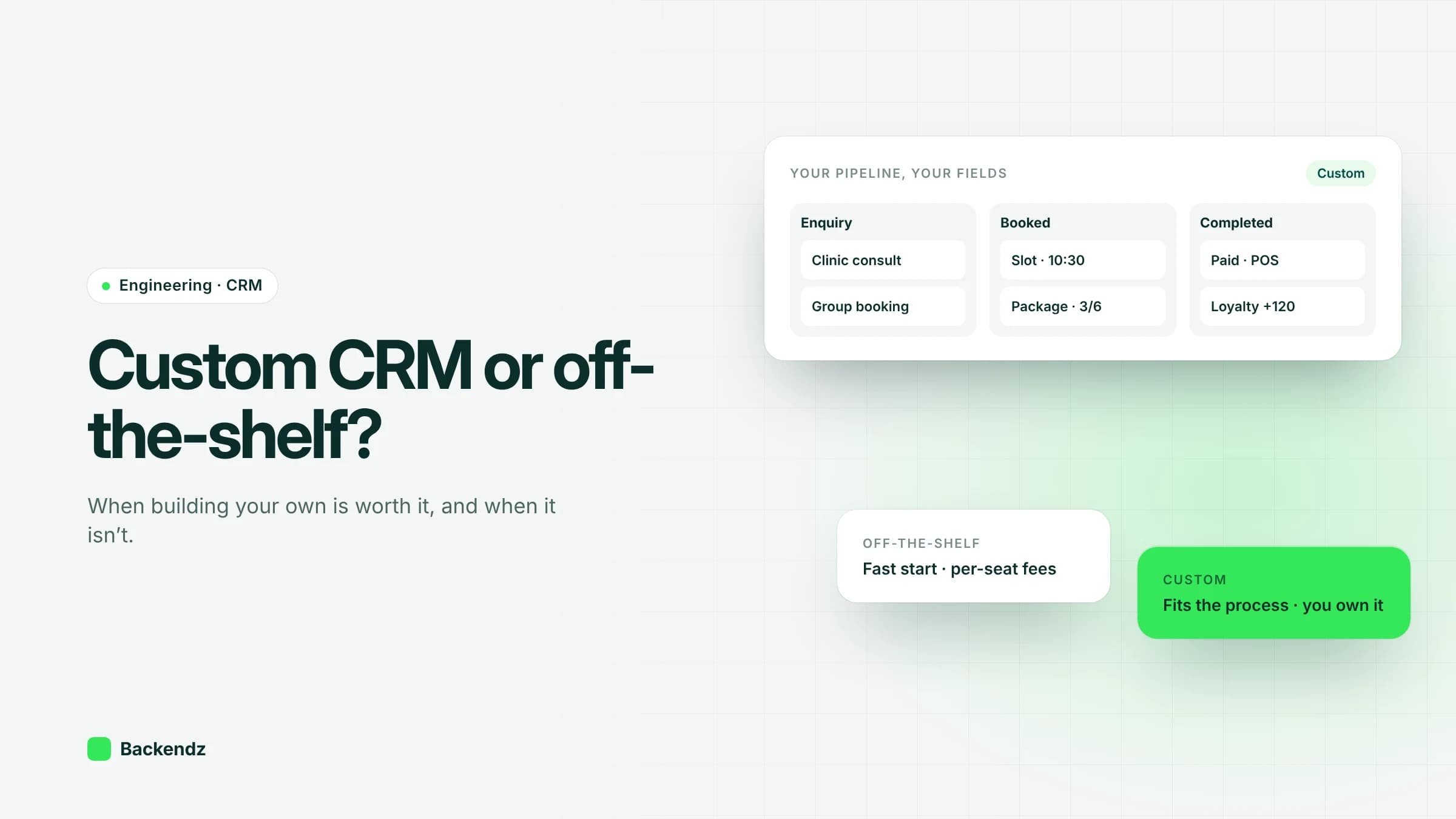
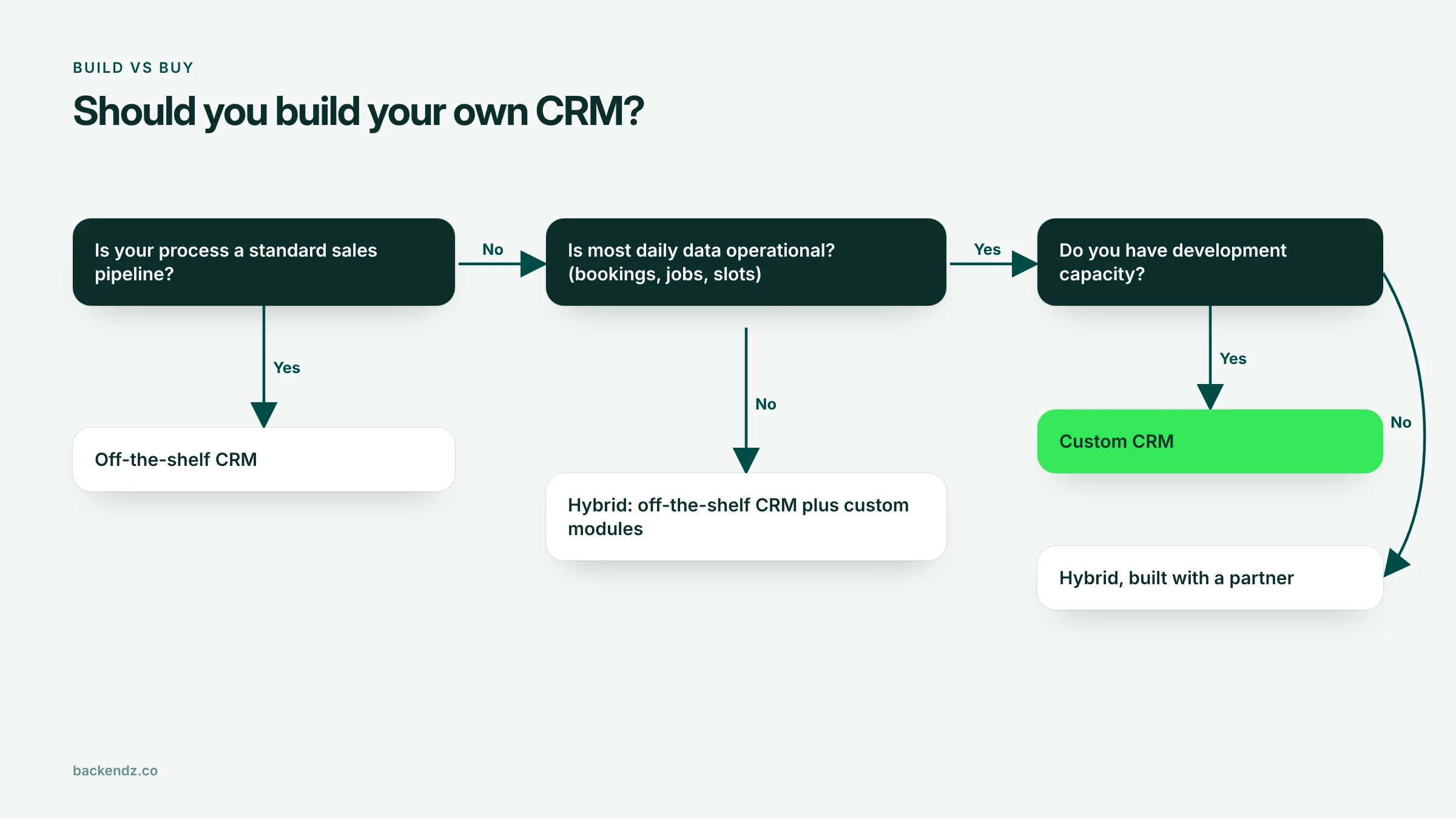
Custom CRM development makes sense when your customer process is also your operational process: bookings, jobs, slots or assets that an off-the-shelf CRM cannot model without workarounds, or a large team of non-sales users whose per-seat fees outgrow the cost of owning the software. For a standard sales pipeline and a small team, buy rather than build.
There is also a middle route that many operations businesses miss. You can keep an off-the-shelf CRM for what it does well and build the operational parts around it. This guide covers the signals for each option, how costs compare over time, and what a bespoke build really involves.
When does a custom CRM make sense?
Most CRMs are designed around a sales pipeline: leads, contacts, deals, stages. That fits many businesses. It fits less well when the customer relationship is mostly about delivering a service on a schedule. These are the signals we look for.
Your process is the product
If the way you book, deliver and follow up is what makes customers choose you, forcing it into a generic pipeline means giving up some of that advantage. A clinic with packages and loyalty rules, a trades firm with multi-visit jobs, or a logistics business with contract-specific service levels all have processes that are part of the offer.
Heavy operational data
Off-the-shelf CRMs handle contacts and deals well. They handle bookable slots, job sheets, equipment, stock used per job and staff availability less well, and usually through custom objects that become hard to report on. If most of the data your team touches each day is operational, the CRM is really an operations system with a customer view.
Per-seat costs at scale
Subscription pricing is usually per user. That is fine for ten salespeople. It is different when front-desk staff, technicians, drivers or practitioners also need access. Once dozens of occasional users each need a seat, the annual bill can exceed the running cost of software you own.
Workarounds and spreadsheets
Count the spreadsheets that sit alongside your CRM, the fields used for something other than their label, and the manual exports done every week. Each one is a sign the tool does not match the work. A few are normal. A dozen means people are running the business outside the system.
Integration needs
If the CRM needs live, two-way links with your booking system, POS, accounting system, ERP or a customer portal, the integration work may be as large as building the CRM functions themselves.
When should you stay with an off-the-shelf CRM?
Be honest about these. Building when you should have bought is an expensive mistake that takes years to unwind.
- Your process is a standard sales pipeline. Lead, qualify, propose, win. Packaged CRMs do this well and improve every year.
- Your team is small. With a handful of users, subscription costs are modest and a build will not pay back.
- You have no development capacity. A custom CRM needs someone to maintain it, either in-house or a partner on an ongoing arrangement. If nobody owns it, it decays.
- You need it next month. A packaged CRM can be configured in weeks. A good bespoke build takes longer.
- Your requirements are still moving. If you do not yet know how your process should work, configure something off the shelf, learn, and decide later.
Is there a middle option between build and buy?
Yes, and for many operations businesses it is the right answer. Keep an off-the-shelf CRM for sales, marketing and contact management, and build the operational pieces around it:
- A bookings or job module that syncs customers to and from the CRM.
- A client portal where customers see their bookings, jobs or documents.
- Integrations that remove the weekly exports and double entry.
The hybrid route keeps the parts that are generic on a product someone else maintains, and spends your budget only where your process is different. Its weakness is that you now own integrations, and those need monitoring when either side changes. If your tool count has crept up, a SaaS stack audit is a useful first step before deciding what to build or retire.
How does total cost of ownership compare over time?
The honest comparison is over five years, not one. Costs fall in different places for each option.
| Cost area | Off-the-shelf CRM | Hybrid (off-the-shelf + custom modules) | Custom CRM |
|---|---|---|---|
| Upfront | Low: configuration, setup, training | Medium: configuration plus module build | High: discovery, build, migration |
| Years 1–2 | Subscriptions grow with seats and add-ons | Subscriptions for fewer seats, plus module upkeep | Hosting, support and small changes |
| Years 3–5 | Price rises, more add-ons, workarounds accumulate | Integration maintenance as both sides change | Ongoing development for new needs; no per-seat fees |
| Fit to process | Your process adapts to the tool | Generic parts adapt, core process fits | Tool fits the process |
| Ownership of data and code | Data exportable, product owned by vendor | Mixed | You own both |
| Exit cost | Migrating data and rebuilding customisations | Moderate | Low vendor lock-in, but dependent on the team that maintains it |
| Main risk | Outgrowing it slowly | Fragile integrations | Under-investing in maintenance after launch |
As a rule of thumb, off-the-shelf is cheapest in year one, custom is often cheapest per user by years three to five for larger teams, and the hybrid route sits in between with the best fit for the money if integrations are built well.
What does a custom CRM build involve?
Discovery
Map how work really flows, not how the process document says it does. Sit with the front desk, the schedulers and the field team. The output is a data model (customers, sites, bookings, jobs, packages, invoices) and a list of the screens each role needs.
Data migration
Customer and history data usually lives in an old CRM, spreadsheets and the booking system, with duplicates and inconsistent formats across all three. Plan for cleansing, de-duplication and test migrations, and run old and new systems in parallel for a short period. Migration is routinely underestimated.
Integrations
Accounting, payments, POS, calendars, email and SMS, and any ERP. Decide which system owns each piece of data, so there is one source of truth for customer details, prices and stock.
Roles and permissions
Front desk, practitioners or engineers, managers, finance and admins each need different access. Design roles early. Retrofitting permissions into a system built without them is painful.
Reporting
Agree the ten reports people actually use every week before building dashboards. Build those well, and give finance a clean export for everything else.
UK GDPR data handling
A CRM holds personal data by definition, sometimes including special category data such as health information in clinics. The ICO expects data protection by design and by default: collect only what you need, restrict access, and plan retention from the start. Build in the tools to answer a subject access request, which must normally be met within one month, plus correction, deletion and an audit log of who viewed or changed records.
What does a custom CRM look like in practice?
For Venus Aesthetics, a clinic, we built a CRM centred on bookings. It covers bookable slots, point of sale, treatment packages and loyalty in one system.
That combination is a good illustration of the signals above. Slots, packages and loyalty rules are operational data that a pipeline-based CRM struggles to model. In clinics, front-desk and practitioner staff typically need access throughout the day, which is where per-seat pricing bites. In businesses like this, the booking calendar is the CRM.
Frequently asked questions
How much does custom CRM development cost?
It depends on the number of modules, integrations and the state of your existing data. A focused CRM for one operational process costs far less than a full replacement of several systems. The most useful comparison is against five years of subscription, add-on and workaround costs for your actual number of users.
How long does it take to build a custom CRM?
A first usable version covering the core process typically takes a few months, including discovery and data migration. Further modules follow in later releases. Off-the-shelf configuration is usually faster, which matters if you need something in place quickly.
Is a bespoke CRM harder to maintain than an off-the-shelf one?
You take on maintenance that a vendor would otherwise handle, including security updates, hosting and new features. With a support arrangement and good documentation, this is manageable. Without either, a custom system ages badly.
Can we move from an off-the-shelf CRM to a custom one later?
Yes, and starting off the shelf is often sensible while your process settles. Keep your data clean and your customisations documented to make the later move easier. Most packaged CRMs allow full data export, but check the terms before you commit.
Does a custom CRM help with UK GDPR compliance?
It can, because you control where data is stored, who can see it and how long it is kept. It does not make you compliant on its own. You still need lawful bases, retention policies, access controls and processes for handling requests from individuals.
Talk it through with us
If you are weighing up build, buy or hybrid, it helps to map your process and user numbers against the options before talking about features. Our custom CRM development team is happy to work through that with you.