
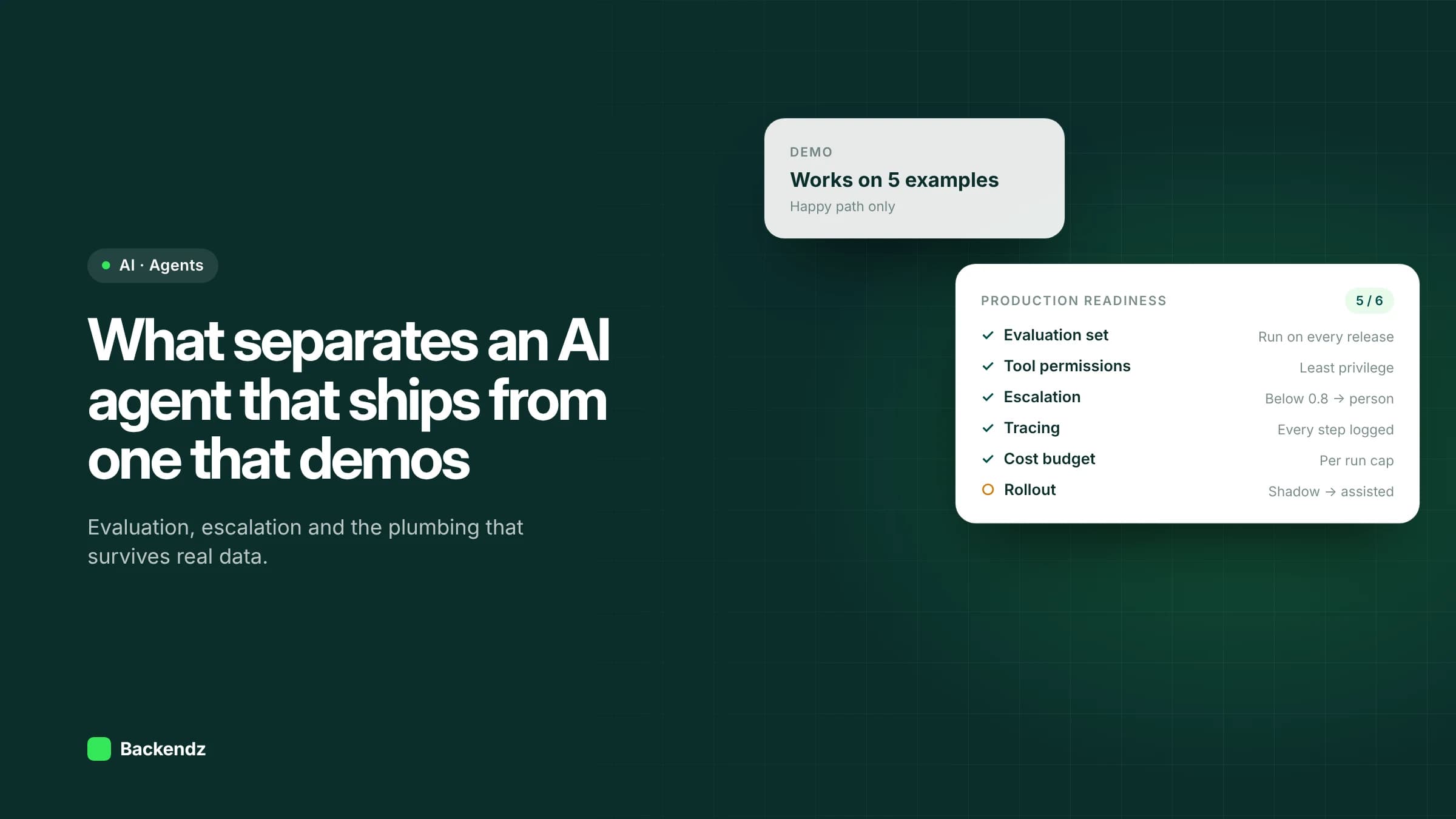
AI agents in production differ from demo agents in the engineering around the model: an evaluation harness that catches regressions, tools limited to the minimum permissions, actions that are safe to retry, a human escalation path for low-confidence cases, full tracing, cost limits and a staged rollout. The model is often the same in both.
A demo shows the agent handling five well-chosen examples. Production means handling ten thousand real ones, including the malformed, the ambiguous and the deliberately hostile, without anyone watching each step. This article covers the plumbing that closes that gap, and ends with a checklist you can use before go-live.
Why do AI agents that work in demos fail in production?
Demos run on clean inputs, with a person in the room, and judge success by eye. Production removes all three.
Real inputs are messier than test inputs. Supplier emails arrive as forwarded chains with three attachments. Customer records have duplicate names. A tool returns a timeout instead of data. An agent that has never been tested on these will fail in ways nobody predicted, and because LLM outputs vary, it may fail only sometimes.
The other difference is consequence. A demo agent that drafts a wrong answer is a talking point. A production agent that posts a wrong journal or emails the wrong customer is an incident. Gartner predicts over 40% of agentic AI projects will be cancelled by the end of 2027, and inadequate risk controls are one of the three reasons it gives. Most of what follows is risk control.
How do you evaluate an AI agent before and after deploying it?
Build an evaluation harness
An evaluation harness is a repeatable test run: a set of real cases with known correct outcomes, a script that runs the agent against all of them, and a scoring method. Some checks are exact (did it pick the right supplier ID?). Others need a rubric or a second model to grade, which should itself be spot-checked by a person.
Start building the set during the proof of concept, from historical cases your team has already resolved. Include the awkward ones on purpose.
Keep a regression set
Every production failure becomes a new test case. Over time the regression set becomes the most valuable asset in the project, because it encodes everything that has gone wrong before. Run it on every change to prompts, models, tools or retrieval, and block releases that lower the score.
This matters more than with ordinary software because small changes have unpredictable effects. A reworded instruction that fixes one case can break three others. A model version upgrade from your provider can shift behaviour overnight. Without a harness, you find out from users.
What guardrails does a production AI agent need?
Least-privilege tool permissions
Give the agent only the tools it needs, and give each tool only the access its job requires. The OWASP Top 10 for LLM Applications lists excessive agency as a core risk, with three root causes: excessive functionality, excessive permissions and excessive autonomy. In practice that means a read-only database user for lookups, narrow purpose-built tools instead of open-ended ones, and authorisation enforced in the downstream system rather than trusted to the model.
Idempotent actions
Agents retry. Networks drop, tools time out and models sometimes call the same tool twice. Any action that changes state (creating an order, sending an email, posting a payment) should be idempotent: running it twice has the same effect as running it once. Use idempotency keys, check for an existing record before creating one, and separate "prepare" from "commit" for anything financial.
Handling bad input
Validate what comes in and what goes out. Reject or quarantine inputs that are empty, oversized, in the wrong language or format. Check model outputs against a schema with ordinary code before acting on them. If the agent extracts an invoice total, confirm it matches the line items before anything downstream uses it.
Prompt injection
Any agent that reads external content (emails, web pages, uploaded documents) can be steered by instructions hidden inside that content. OWASP ranks prompt injection as LLM01, covering both direct injection by users and indirect injection through external sources such as websites or files. OWASP is clear that no single fix is foolproof. The practical defences are layered: clearly separate untrusted content from instructions, limit tool permissions so a hijacked agent cannot do much harm, validate outputs deterministically, and require human approval for high-risk actions.
When should an AI agent hand over to a person?
Human-in-the-loop design is where most real-world value is decided. The aim is for the agent to handle routine cases fully and pass everything else to a person with the context already assembled.
Set explicit escalation rules, not just a vague "if unsure". Common triggers are:
- Low confidence on a classification or extraction, below a threshold you tune on the evaluation set.
- Value limits, such as any refund, credit or order above a set amount.
- Policy triggers, such as complaints, legal language, vulnerable customers or anything involving personal data changes.
- Disagreement between the agent's output and a deterministic check.
Our Invoice Reconciliation AI work follows this pattern: across around 900 suppliers it reached a 99.98% three-way match rate, and only exceptions reach a person. The review screen matters as much as the threshold. Reviewers need the agent's reasoning, the source data and one-click approve or correct, and every correction should feed the regression set.
If the agent makes decisions with legal or similarly significant effects on people, such as credit, employment or eligibility, UK data protection law adds requirements. The ICO's guidance on automated decision-making and Article 22 says human review must be meaningful, generally coming after the automated decision and relating to its actual outcome. That guidance is under review following the Data (Use and Access) Act, so check the current position.
What do you need to monitor once an agent is live?
Tracing and observability
Log every run end to end: the input, each model call with its prompt and response, each tool call with its arguments and result, the final action and the time and token cost of each step. When something goes wrong, you need to replay exactly what the agent saw and did. Without traces, debugging an agent is guesswork.
Track a small set of live metrics: escalation rate, human override rate, error rate by tool, latency and cost per task. A rising override rate is usually the earliest sign that inputs have shifted.
Cost and latency budgets
Set hard limits per task: maximum model calls, maximum tokens and maximum wall-clock time. Agents that loop, retrying a failing tool or re-planning endlessly, can burn through budget quietly. When a limit is hit, stop and escalate rather than carry on. Our guide to AI agent development costs shows how calls per task drive the monthly bill.
How should you roll out an AI agent?
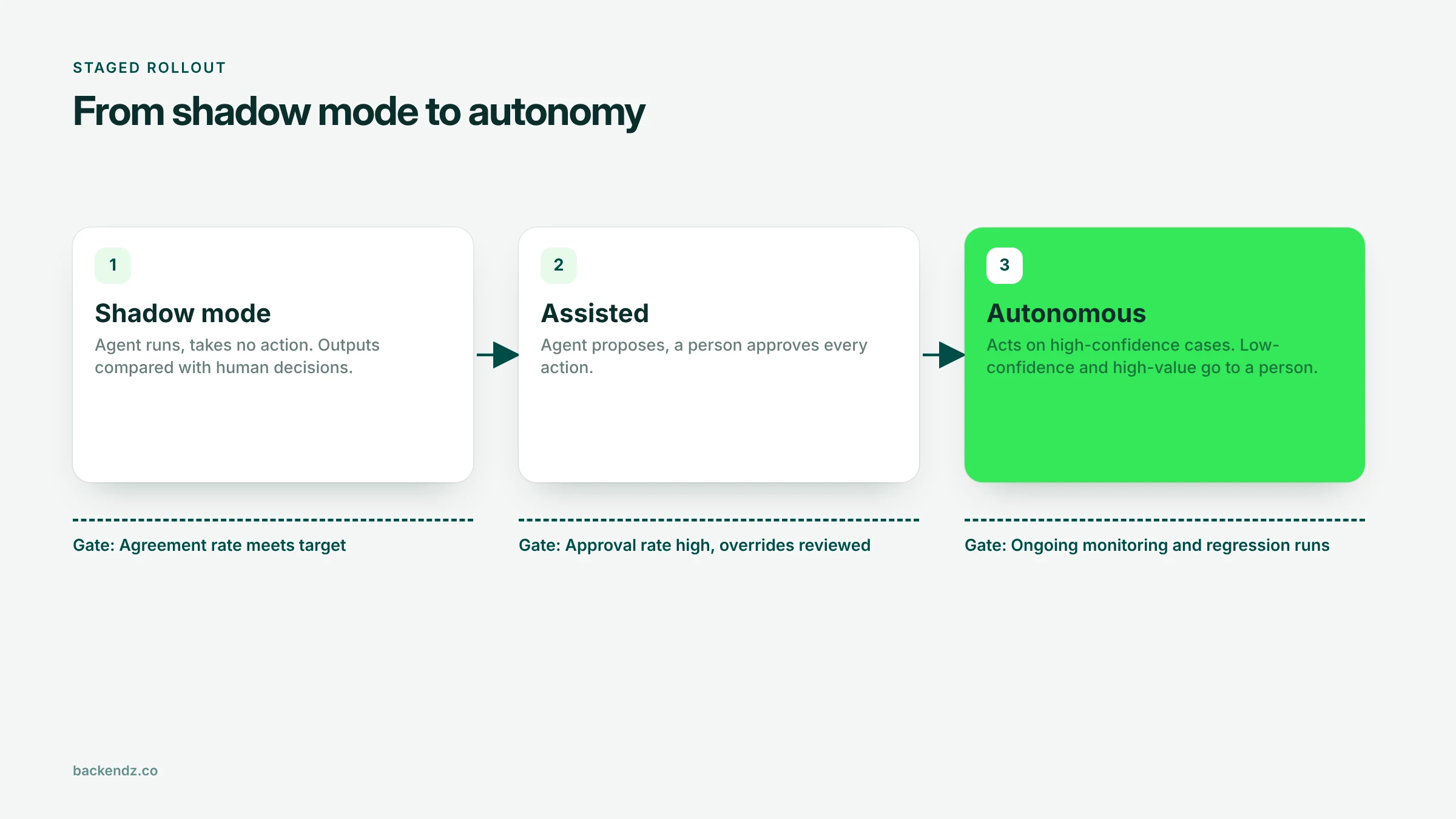
Roll out in stages, with a measurable gate between each:
- Shadow mode. The agent runs on live inputs but takes no action. Its outputs are compared with what people actually did. Move on when agreement meets your target.
- Assisted. The agent proposes and a person approves every action. Track approval and override rates, and review every override.
- Autonomous with escalation. The agent acts on cases above the confidence threshold and inside value limits. Everything else still goes to a person.
You can run different stages for different case types. Routine low-value cases may go autonomous while complex ones stay assisted indefinitely. That is a sensible end state, not a failure. Keep a switch that drops the agent back to assisted mode instantly.
The NCSC's guidelines for secure AI system development frame the same lifecycle across secure design, development, deployment, and operation and maintenance, including logging, monitoring and incident management.
Production-readiness checklist for AI agents
| Area | Ready when | Red flag |
|---|---|---|
| Evaluation | Harness runs on every change, held-out set of real cases, scores tracked | Success judged by trying a few examples by hand |
| Regression set | Every production failure added as a test case | Same bug reappears after a prompt change |
| Tool permissions | Each tool has the minimum access, authorisation enforced downstream | Agent uses an admin account or open-ended tools |
| Idempotency | State-changing actions safe to retry, keys or duplicate checks in place | Retries create duplicate orders or emails |
| Input and output validation | Schema checks on outputs, bad inputs quarantined | Raw model output written straight to a system |
| Prompt injection | Untrusted content separated, high-risk actions need approval | Agent acts on instructions found in emails or files |
| Human escalation | Explicit thresholds, review screen with context, corrections fed back | "It escalates when unsure" with no defined rule |
| Observability | Full traces per run, live dashboard of escalation, override, cost, latency | No way to replay what the agent did |
| Cost and latency | Per-task limits on calls, tokens and time, with stop-and-escalate | No cap on loops or retries |
| Rollout | Shadow then assisted then autonomous, with gates and a kill switch | Straight from demo to fully autonomous |
Frequently asked questions
What does it take to put an AI agent into production?
Beyond the model, a production AI agent needs an evaluation harness, least-privilege tools, idempotent actions, input and output validation, a human escalation path, full tracing and cost limits. It should be rolled out in stages, from shadow mode to assisted to autonomous. Most of the effort goes on this engineering rather than on prompts.
How do you evaluate an AI agent?
Run the agent against a set of real historical cases with known correct outcomes and score the results automatically, using exact checks where possible and graded rubrics where not. Hold some cases back so tuning does not inflate the score. Re-run the whole set on every change and add each production failure as a new case.
What is human in the loop for AI agents?
Human in the loop means a person reviews or approves certain agent actions before they take effect. In production, this is driven by explicit rules such as low confidence, value limits or policy triggers. The agent handles routine cases and passes the rest to a person with the relevant context.
How do you protect an AI agent from prompt injection?
No single control stops prompt injection, so defences are layered. Separate untrusted content from instructions, give tools the minimum permissions, validate outputs with ordinary code and require human approval for high-risk actions. OWASP lists prompt injection as the top risk for LLM applications.
What is shadow mode for an AI agent?
Shadow mode means running the agent on live inputs without letting it act, then comparing its outputs with what people actually decided. It shows real-world accuracy without any risk to operations. Once agreement meets an agreed target, the agent can move to assisted mode.
Talk it through with us
If you have an agent that works in a demo and need it to hold up on real data, we can review it against this checklist and help build what is missing. See how we approach AI agent development.