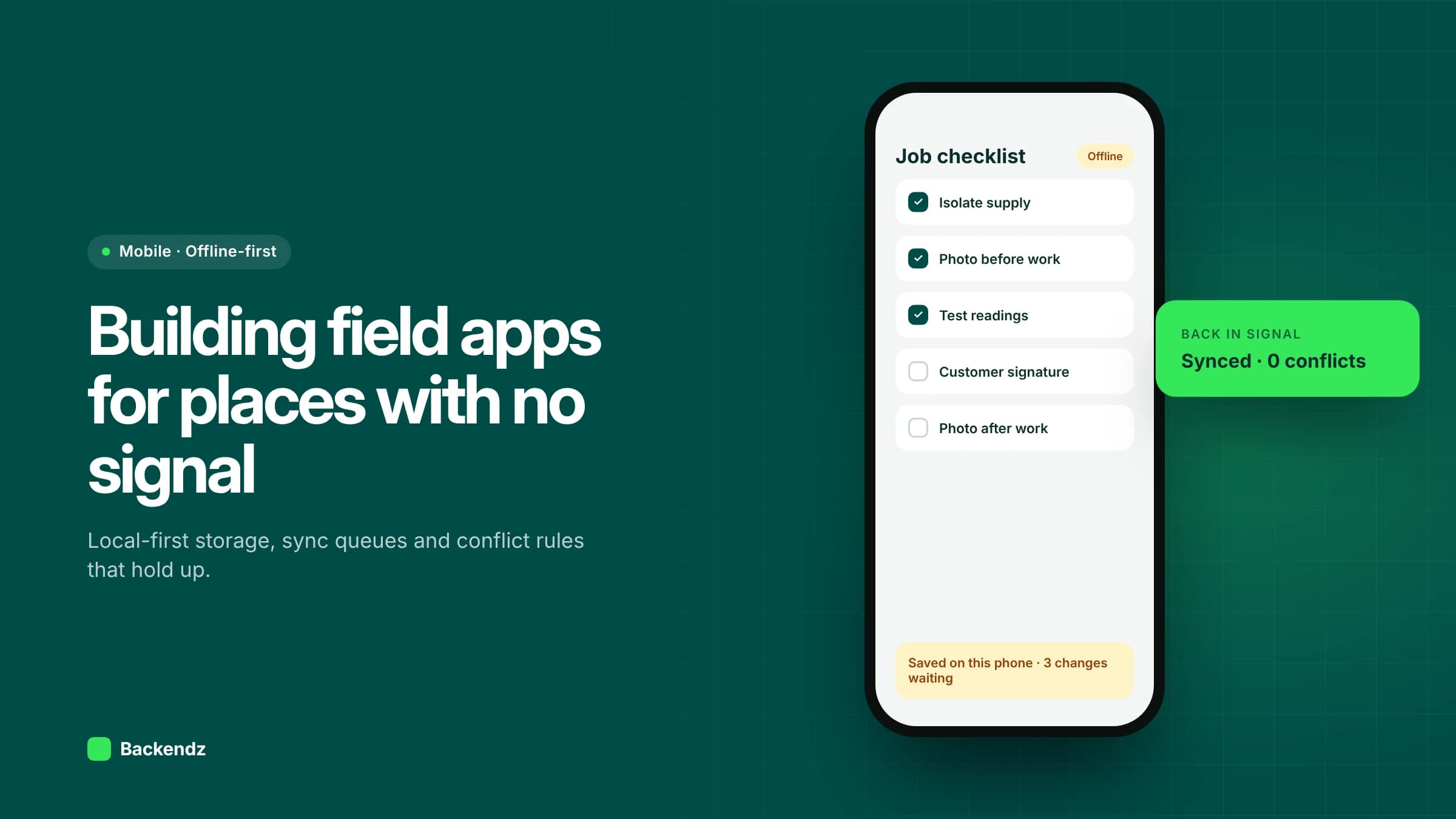
An offline-first mobile app stores and reads its working data on the device, lets people finish their job with no connection, and syncs changes in the background when signal returns. For engineers in plant rooms, operators on factory floors and drivers on rural routes, that design choice matters more than any feature on the screen.
Most field apps are built online-first with a little caching added later. They work in the office and fail on site: endless spinners, forms lost when a request times out, and duplicate records when someone taps submit three times. Retrofitting offline support is far harder than designing for it, so this guide covers the decisions to make at the start.
What does offline-first mean in practice?
The local database on the device is the source of truth for the app. Screens read from it, and every change is written to it first, then queued for the server. Android's own architecture guidance puts it plainly: the local data source should be the canonical source of truth, and critical writes should go locally first and reach the network at the earliest opportunity.
The network becomes a background concern. The user never waits for it to save their work. This is the same principle behind the wider local-first software movement described by Kleppmann and colleagues at Onward! 2019.
How should data be stored on the device?
Use a proper on-device database, usually one built on SQLite, not files or key-value storage. Then be selective about what lives there.
- Download only the working set. Today's and tomorrow's jobs, the assets at those sites, and the reference data needed to complete forms. Not the whole customer database.
- Generate IDs on the device. Use UUIDs so records created offline never clash with records created elsewhere.
- Plan schema migrations. The app will be updated while devices still hold unsynced data. Every release must migrate the local database without losing the queue.
- Keep reference data versioned. Price lists, checklists and fault codes change. Record which version a form was completed against.
How does a sync queue work?
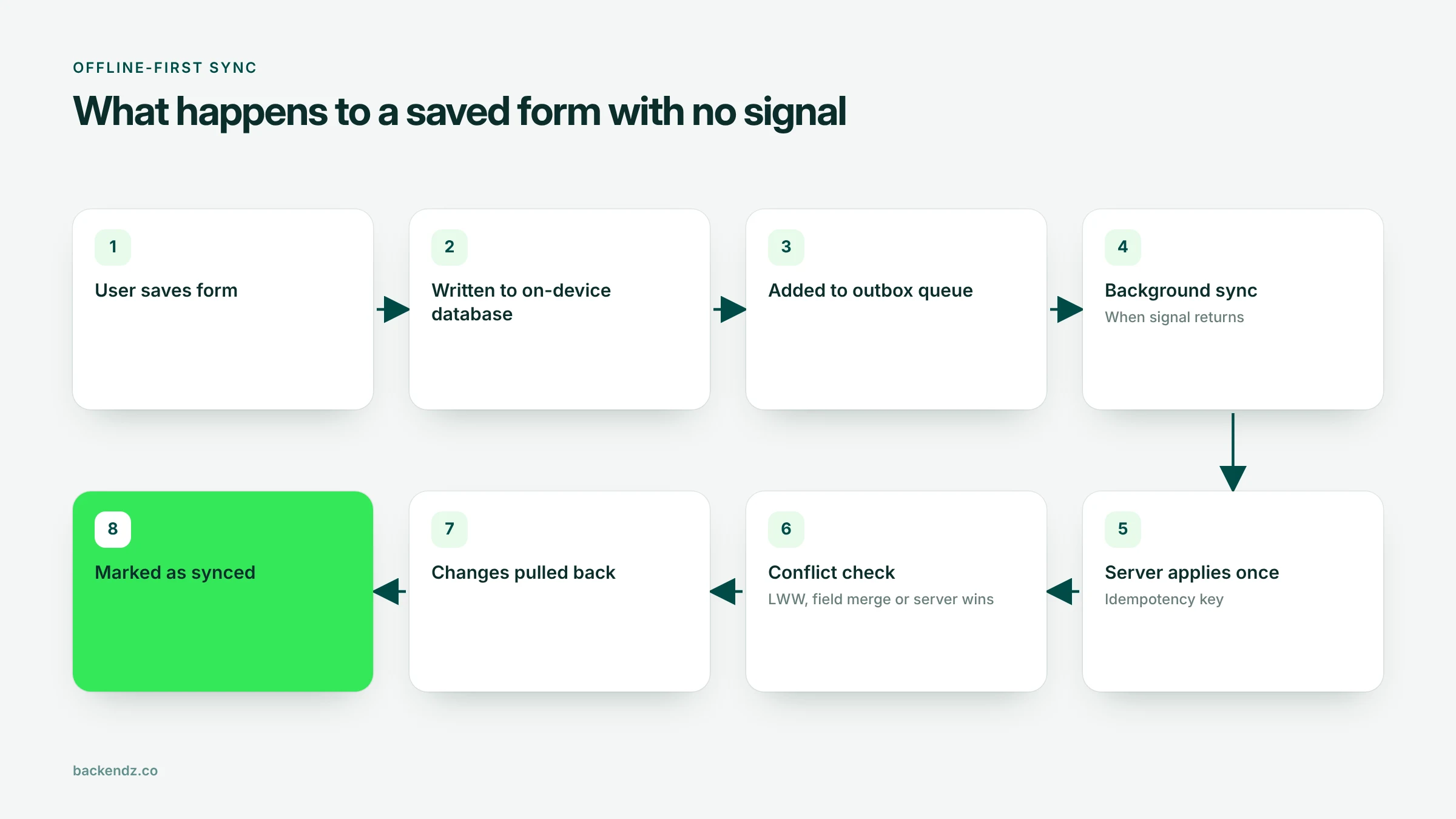
Every change the user makes is recorded as an operation in an outbox: "create inspection", "update job status", "attach photo". A background process sends these to the server in order.
A few rules make this reliable:
- Idempotency. Each operation carries a unique ID. If a retry reaches the server twice, the server applies it once. This is what prevents duplicate jobs and double-counted stock.
- Retry with backoff. Failed sends wait progressively longer before retrying, rather than hammering a weak connection.
- Ordering and dependencies. A photo cannot upload before the job record it belongs to exists on the server.
- Delta pulls. Downloads ask only for what changed since the last successful sync, using a token or timestamp from the server.
- Poison messages. If the server rejects an operation as invalid, park it with the reason and show it to the user. Never let one bad record block the rest of the queue.
Background sync and battery life
Neither iOS nor Android lets an app sync whenever it likes. On Android, WorkManager can run sync only when a network is available and retries failed work with exponential backoff, as the same Android guidance describes. On iOS, apps register tasks with BGTaskScheduler and the system decides when to run them.
So do not rely on background sync alone. Also sync when the app opens, when it returns to the foreground, and when connectivity changes. Batch operations together rather than sending each one separately, and avoid constant polling, which drains batteries on long shifts.
Showing sync status to the user
Users trust an offline app only when they can see what has and has not reached the office.
- Per-record status: saved on device, waiting to sync, synced, or needs attention.
- A global indicator: how many items are waiting and when the last successful sync happened.
- Clear errors: "Job 4512 was rejected because the asset was moved to another site", not "Sync failed".
- Protection on logout: warn before signing out or switching user with unsynced data on the device.
- A manual "sync now" button for the moment someone walks back into signal.
How do you handle data sync conflicts?
A conflict happens when the same record changes in two places before either side syncs. An office scheduler moves a job while the engineer, offline, marks it complete. There are three common strategies, and most apps use more than one.
| Strategy | How it works | Strengths | Risks | Good fit for |
|---|---|---|---|---|
| Last-write-wins | The most recent change replaces the whole record | Simple to build and explain | Silently discards the other edit; depends on reliable timestamps | Low-value fields, personal settings |
| Field-level merge | Changes to different fields are combined; only same-field clashes need a rule | Keeps both people's work in most cases | More complex; needs per-field change tracking | Job records edited by office and field |
| Server authority | The server validates every change and can reject or adjust it | Protects business rules such as stock levels and approvals | Users can see their change reversed and must be told why | Stock, pricing, payments, safety sign-offs |
A practical note on last-write-wins: device clocks are often wrong. Use version numbers or the server's receipt time rather than trusting the phone's clock.
The best conflict strategy is designing conflicts out. Make inspection results, notes, readings and photos new records rather than edits, so they simply accumulate. Give each job a single owner in the field at any time. Then the genuine conflicts that remain are few enough to handle carefully. Techniques such as CRDTs, which merge concurrent edits automatically, are powerful for collaborative editing but usually more than a field app needs.
How should photos and large files be handled?
Photos, signatures and videos are where offline apps most often fail. Treat them separately from records.
- Save the file to app storage immediately and sync its metadata record first, so the job shows the photo is attached.
- Compress and resize on the device. A full-resolution phone photo is rarely needed for a job record.
- Upload files in chunks that can resume after an interruption, rather than restarting from zero.
- Offer a "large files on Wi-Fi only" setting for video.
- Keep the local copy until the server confirms receipt, then clean up to protect device storage.
How do you test an offline-first app?
Test on real devices with network conditioning tools that simulate poor connections, not just airplane mode. The scenarios that find the bugs:
- Connection drops halfway through a photo upload.
- Very slow, high-latency connections where requests time out but sometimes succeed.
- Wi-Fi that connects but has no internet access.
- The app is killed by the operating system mid-sync.
- The device clock is wrong by hours or days.
- Two people edit the same job, one offline.
- An app update installs while items are still queued.
- The device is nearly out of storage.
Then test on site. A single morning in a basement plant room teaches more than a week in the office.
How do you secure data stored on the device?
Offline-first means business data and sometimes personal data lives on phones that can be lost or stolen. Keep only what the job needs, encrypt the local database with keys held in the platform keystore, and expire sessions after a set period even when offline. Manage company devices centrally so they can be configured, updated and wiped remotely. The NCSC's device security guidance covers choosing, configuring and managing mobile devices, including bring-your-own-device policies.
What does this look like in real projects?
For a textile manufacturer running 9 production lines, our offline-first factory floor app replaced 100% of their paper forms. Factory floors often have patchy Wi-Fi between machines, so offline-first is the safer default there.
For a 300-vehicle fleet, a driver app combined with telematics helped lift on-time deliveries by 18%. Drivers move in and out of coverage throughout a route, which is exactly the situation offline-first design is for.
We are applying the same patterns in Joblogy, our own job management product for trades and field service, currently in development. If your field teams need scheduling, job sheets and sign-off as well as the mobile app, see our work on field service management software.
Frequently asked questions
What is the difference between offline-first and offline mode?
An offline mode is usually added to an online app and covers a few screens. An offline-first app treats the local database as the source of truth everywhere, so every feature works without a connection by design. The second approach is more reliable but must be decided at the start.
Can a cross-platform app be offline-first?
Yes. Cross-platform frameworks can use on-device databases and background tasks, and many field apps are built this way. The sync design matters far more than the framework choice. Test background behaviour on both iOS and Android, because each platform schedules work differently.
How do you stop duplicate records when syncing?
Give every operation a unique ID created on the device and make the server apply each ID only once. Retries then become safe, however many times a weak connection repeats the request. Generating record IDs on the device also avoids clashes between records created offline.
How long can a field app stay offline?
Technically, as long as the device has storage and the user's session remains valid. In practice, the limits are business ones: how stale schedules and reference data can safely be, and how long you can tolerate unsynced work on one device. Set a maximum and warn users as they approach it.
Is it safe to store customer data on mobile devices?
It can be, with the right controls. Store only what the job needs, encrypt the local database, use managed devices that can be wiped remotely, and remove data once it has synced and is no longer needed. Follow NCSC device guidance and your UK GDPR obligations.
Where to start
List the places your teams lose signal and the tasks they must complete there, then design the data model and sync rules around those tasks before any screens. If you would like help planning or building an offline-first app, our mobile app development team can work through it with you.