
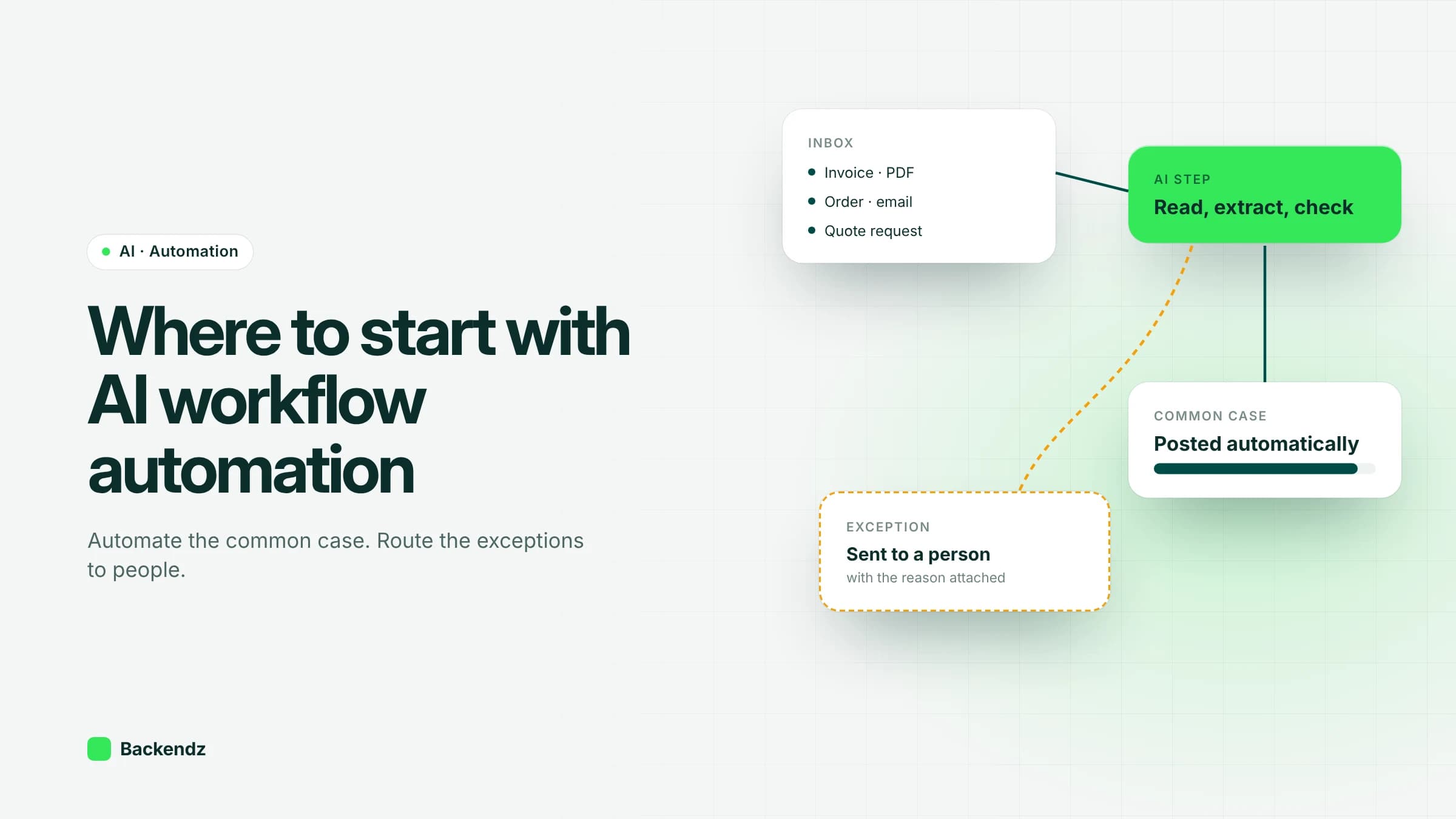
The best place to start with AI workflow automation in an operations business is a high-volume process where the inputs are messy but the decision rules are clear: supplier invoices, emailed orders, quote requests or customer queries. Automate the common case, route exceptions to a named person with the reason attached, and measure time and errors before and after.
Adoption is rising quickly. The ONS reports that 29% of UK businesses used at least one AI technology in June 2026, up 8 percentage points on a year earlier, with text generation the most common use. Drafting text is useful, but in operations the bigger savings usually sit in the repetitive processes behind the scenes. This guide is about finding those, ranking them, and building them so they survive contact with real data.
What is AI workflow automation?
AI workflow automation means putting a model at the specific steps of a process that need judgement, inside a workflow that is otherwise ordinary software. The model reads an invoice, classifies an email or extracts line items from a PDF. Plain code then validates the result, applies business rules, writes to your systems and decides who sees what.
That split matters. A model on its own is a guess with a confidence score. A workflow around it adds checks against your own data (does this PO exist, does the supplier match, is the quantity plausible), an audit trail, and a route for anything that fails. Most of the engineering effort goes into the workflow, not the model.
How do you find good candidates for AI automation?
Four tests separate good first projects from expensive experiments.
- High volume. Hundreds or thousands of items a month. If it happens twenty times a month, a better template or checklist is probably cheaper.
- Rule-heavy with messy inputs. The decision logic is known, but the inputs arrive as PDFs, scans, free-text emails or spreadsheets in fifty layouts. This is where AI earns its place, because rules alone cannot read the input.
- A clear owner. Someone owns the process today and will own the exceptions tomorrow. Without that person, exceptions pile up and trust drops.
- A measurable cost. You can count the minutes per item, the error rate, or the delay it causes downstream. If you cannot measure the before, you cannot prove the after.
Good places to look: the shared inbox that one person triages every morning, any step where someone copies data from one screen or document into another, and the spreadsheet that exists because two systems do not talk to each other.
AI process automation examples by function
Invoice and document processing
This is the classic case for intelligent document processing. Invoices, delivery notes and remittances arrive in many layouts, but the checks are fixed: match the invoice to the purchase order and goods received, compare quantities and prices, post or query.
In our invoice reconciliation work for a finance team with around 900 suppliers, the system reaches a 99.98% three-way match rate and only exceptions reach a person. The model reads the documents; deterministic matching rules make the decision.
Email and order intake
Orders arrive by email, as attachments, or typed into the body of a message. A model can extract customer, products, quantities and delivery dates, then the workflow checks them against your product catalogue and customer records before creating the order. Anything ambiguous, such as an unknown product code, goes to a person with the original email beside the draft order.
Quoting
Quoting is often slow because it depends on one experienced estimator. For a steel fabricator we built a quoting engine that cut turnaround from 2 days to 4 minutes, and it was backtested on past quotes before anyone relied on it. Backtesting is the step people skip, and it is the one that tells you whether the numbers can be trusted.
Scheduling and dispatch
Dispatch combines hard constraints (vehicle capacity, driver hours, delivery windows) with soft ones (customer preferences, local knowledge). Optimisation and rules handle the hard constraints; AI helps with reading incoming jobs and suggesting assignments. In a freight dispatch system across 14 depots, dispatch time fell by 62%.
Customer query triage
A model can classify incoming queries by type and urgency, pull the relevant order or account, and draft a reply for a person to approve. If a workflow makes decisions about individuals with legal or similarly significant effects, UK GDPR sets specific safeguards, including the right to human intervention. The ICO is updating its guidance on automated decision-making following the Data (Use and Access) Act 2025, so check the current position before automating decisions about people.
Reporting
Weekly operations reports often mean pulling numbers from three systems and writing commentary. Pull the numbers with ordinary integrations, then let a model draft the commentary for a manager to edit. Do not let a model calculate the figures.
When is rules-based automation enough?
Classic automation is cheaper, faster and easier to test. Use AI only for the steps where rules break down.
| Situation | Rules-based automation | Add AI |
|---|---|---|
| Inputs are structured (API, EDI, fixed CSV) | Yes | Not needed |
| Inputs are PDFs, scans, free text, varied layouts | Struggles | Yes, for extraction and classification |
| Decision logic can be written as if/then | Yes | Not needed for the decision |
| Decision needs judgement from examples | No | Yes, with human review at first |
| Volume is low (under ~50 a month) | Often not worth automating | Rarely worth it |
| Errors are costly and hard to reverse | Yes, with approvals | Only with strict thresholds and review |
A useful rule of thumb from projects we have delivered: AI reads, rules decide. When a model's output feeds straight into a payment, a stock movement or a customer commitment, put a deterministic check in between.
What is exception-first design?
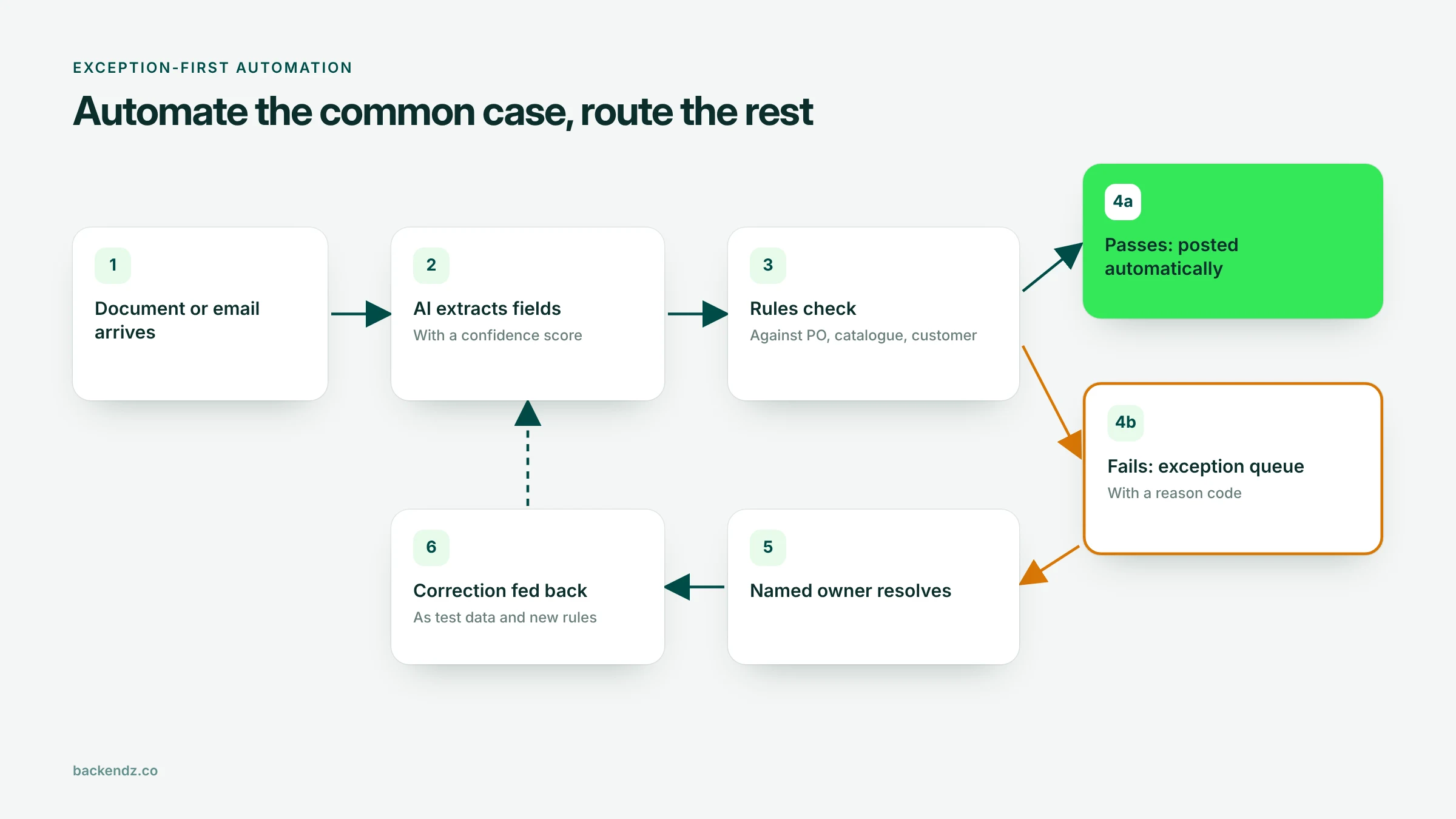
Exception-first design starts from the question "what happens when this goes wrong?" rather than "how much can we automate?". You automate the common, clean case end to end and send everything else to a person, with the reason attached.
In practice that means:
- Confidence thresholds. Below a set confidence, the item goes to review rather than through.
- Reason codes. Each exception says why: price mismatch, unknown supplier, missing PO, low extraction confidence. A person can act on "price 4% above PO" in seconds; "needs review" wastes their time.
- One queue, one owner. Exceptions land in a single queue with a named owner and a target time.
- Feedback into the system. When a person corrects an exception, that correction becomes test data and, where sensible, a new rule.
Start with conservative thresholds so more items go to review, then loosen them as the measured error rate proves the system. Teams trust automation they can watch working.
How should you prioritise automation candidates?
Score each candidate from 1 to 5 on the factors below and multiply by the weight. The example scores are illustrative; your numbers will differ.
| Factor (weight) | What a 5 looks like | Supplier invoices | Order emails | Monthly board report |
|---|---|---|---|---|
| Volume (x3) | Thousands of items a month | 5 | 4 | 1 |
| Messy inputs, clear rules (x3) | Varied documents, fixed checks | 5 | 4 | 2 |
| Clear owner (x2) | One named person or team | 4 | 3 | 5 |
| Measurable cost (x2) | Minutes and errors already tracked | 4 | 3 | 2 |
| Low cost of a mistake (x1) | Errors caught downstream, easy to reverse | 3 | 3 | 4 |
| Data access (x1) | Systems have APIs or exports | 3 | 4 | 3 |
| Weighted total (max 60) | 52 | 43 | 30 |
Anything above roughly 40 is worth a closer look. At 30 or below, the effort usually goes further elsewhere. If two candidates score close together, pick the one with the clearest owner. A short proof of concept on real historical data is the cheapest way to check the scores before committing to a full build.
Frequently asked questions
What is the difference between AI workflow automation and RPA?
Robotic process automation (RPA) repeats fixed steps on screens, such as clicking through a form. AI workflow automation adds a model that can read unstructured inputs and make judgement calls. Many good systems combine both: integrations or RPA to move data, AI only where the input is messy.
How accurate does AI need to be before we automate a process?
It depends on the cost of an error and how easily it is caught. With exception-first design, the model does not need to be perfect, because low-confidence items go to a person. Measure accuracy on your own historical data and set thresholds from those results, not from a vendor benchmark.
What should we automate first in the back office?
Start with a high-volume, rule-heavy process with messy inputs and a clear owner, such as supplier invoice matching or order intake from email. These have measurable costs today and clear checks that catch errors. Avoid starting with processes that are rare, politically sensitive or have no agreed rules.
How long does an AI automation project take?
A focused proof of concept on historical data typically takes a few weeks. A production system with integrations, an exception queue and monitoring takes longer, depending mainly on how easy your existing systems are to connect to. Data access is usually the biggest variable, not the model.
Will AI workflow automation replace staff?
In the projects we see, it mostly removes rekeying and checking, and moves people to handling exceptions, suppliers and customers. Someone still needs to own the process, resolve exceptions and keep the rules current. Plan for that role rather than assuming the work disappears.
Where to start
List three to five candidate processes, score them with the table above, and test the top one on a few months of real historical data. If you would like a second opinion on which process to pick or how to design the exception handling, our team can walk through it with you on our AI workflow automation page.